

AI video production means the visuals are generated with AI, and an editor then handles the pacing, subtitles, voice-over, music and export to make a complete video. For brands and individuals with no footage, no budget for a shoot, or a need to publish quickly, it's a practical option. This page explains what it's good for, what it isn't, what you need to prepare and how pricing works.
What it's good for
- Product and brand videos: scene-setting visuals and text that carry the product and brand message.
- Explainer videos: service processes, concepts, training content.
- Social short-form: a steady output of vertical videos even when you have no footage.
- Ad variations: the same video in different lengths or with a different focus.
To be clear: when AI video is a poor fit
- You need a specific real person on screen (for example the founder, staff or a spokesperson).
- You need precise details of a real product and how it's used.
- You need a record of a real scene (events, interviews, on-location shooting).
AI-generated visuals can still look unnatural in the details. We select and correct them, but we can't promise every shot will look like real footage. For these needs we recommend real footage, or a mix of real material and AI visuals.
What you need to prepare
- A written script: for each segment, the seconds, what's on screen and what text appears. See the script format. If you can't write it, use the method in how to prepare a video script.
- Brand elements: logo, brand colors, the fonts you use.
- Existing material (if any): product photos and location photos can be mixed with AI visuals.
- Style references: two or three links to videos that feel right to you.
- Purpose and specs: where it will be shown, aspect ratio, length and deadline.
Script example
0 – 5 s
Visual: morning sunlight on a city street, people starting their day
Text: Every morning is a new beginning5 – 10 s
Visual: a cat reading in a café, warm atmosphere
Text: Here, time slows down
If you'd rather not write it, open ChatGPT with our prompt filled in, replace the examples in brackets with your own details and press send. The AI writes the script in the format above. To use Gemini or another AI, copy the prompt from how to prepare a video script.
For the full list, see what to prepare for AI video production.
Process
- Fill in the request form and send us your script and brand material.
- We check feasibility and send a quote with production advice.
- Confirm the details and pay: we first generate a storyboard and confirm the visual direction with you.
- Video production and post-production (subtitles, voice-over, music, export).
- First draft, one round of minor revisions, then final delivery.
How pricing works
We assess each project based on video length, the number of storyboard shots, whether voice-over and music are needed, the number of versions and the deadline. The process: send us your script and material; we assess it and write a formal quote; once both sides confirm and payment is made, we start.
From reference images to the finished film: how one AI short was made
The most common problem with AI video is that the same character looks different from shot to shot. So we don't start by generating video. We first lock the characters and the setting in reference images, fixing their look, proportions, materials and lighting, and then build every shot from those. Here is how our own short, "4 Hours of Footage, Only 2 Minutes of Video?", was made.
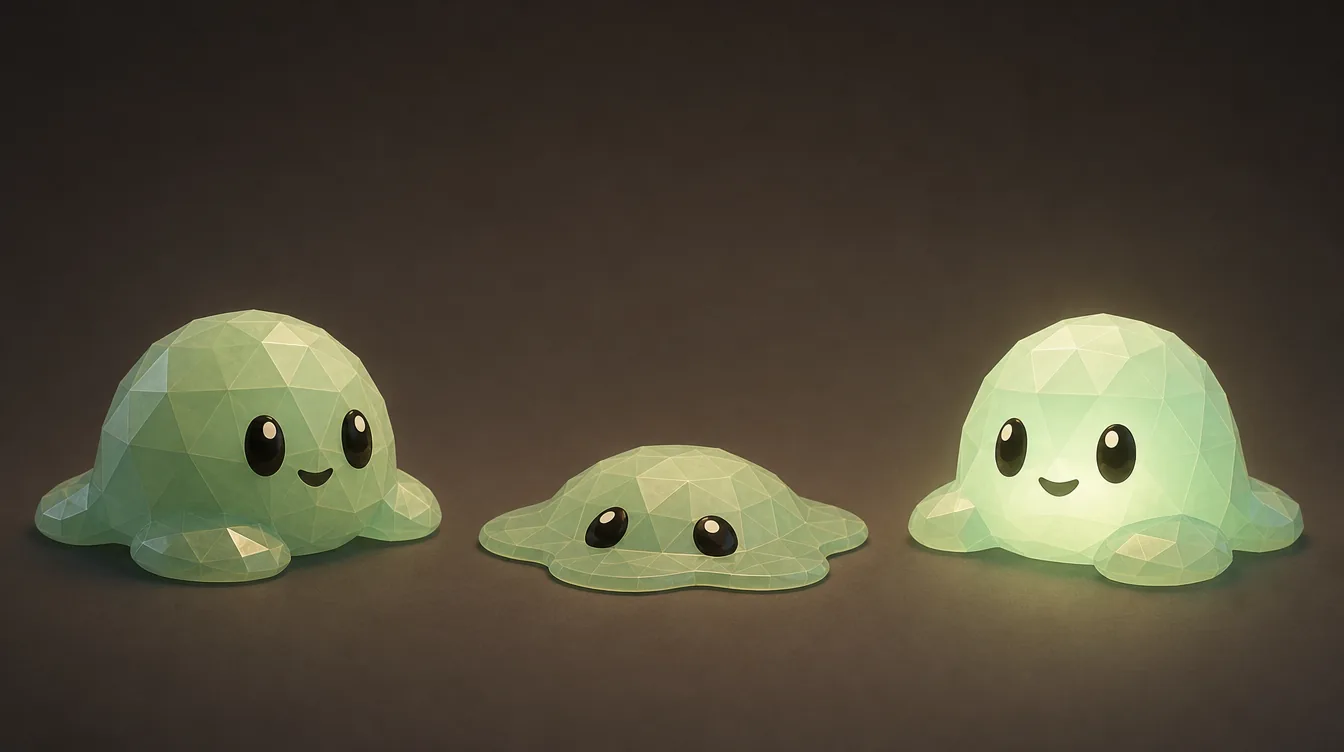
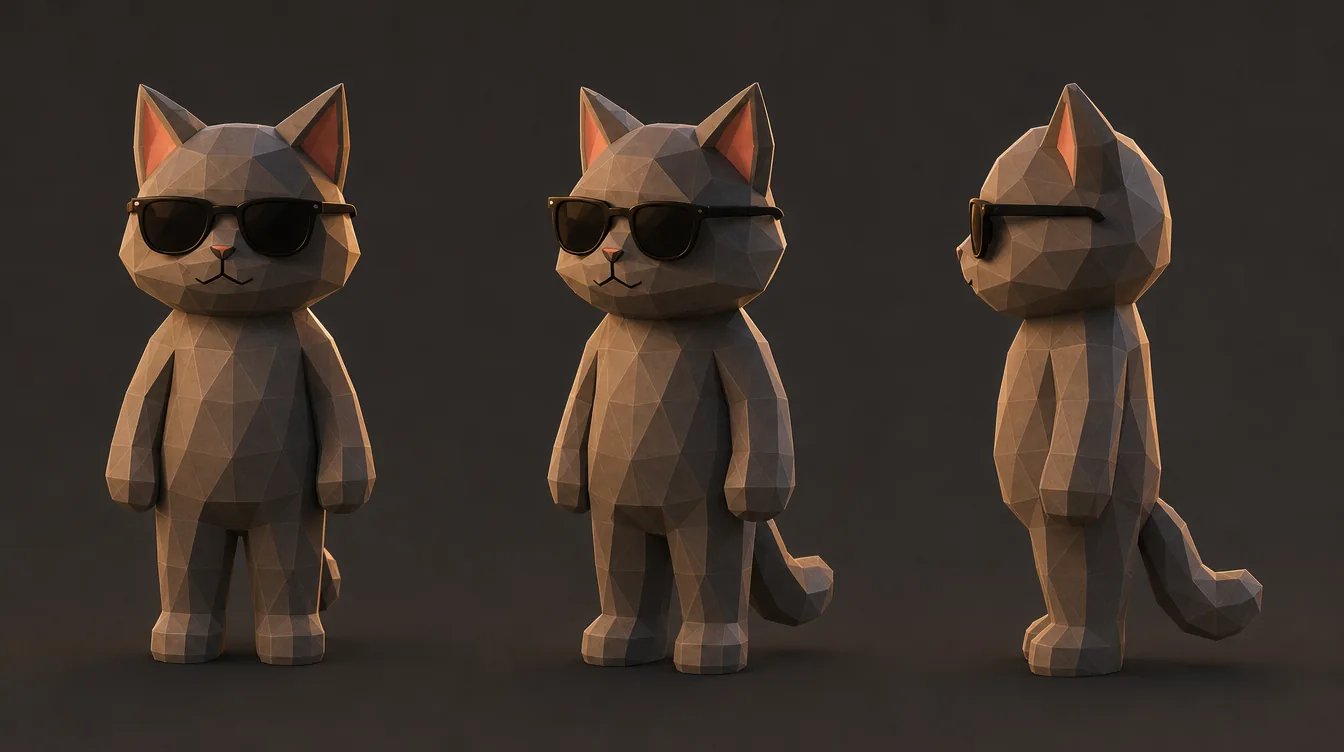

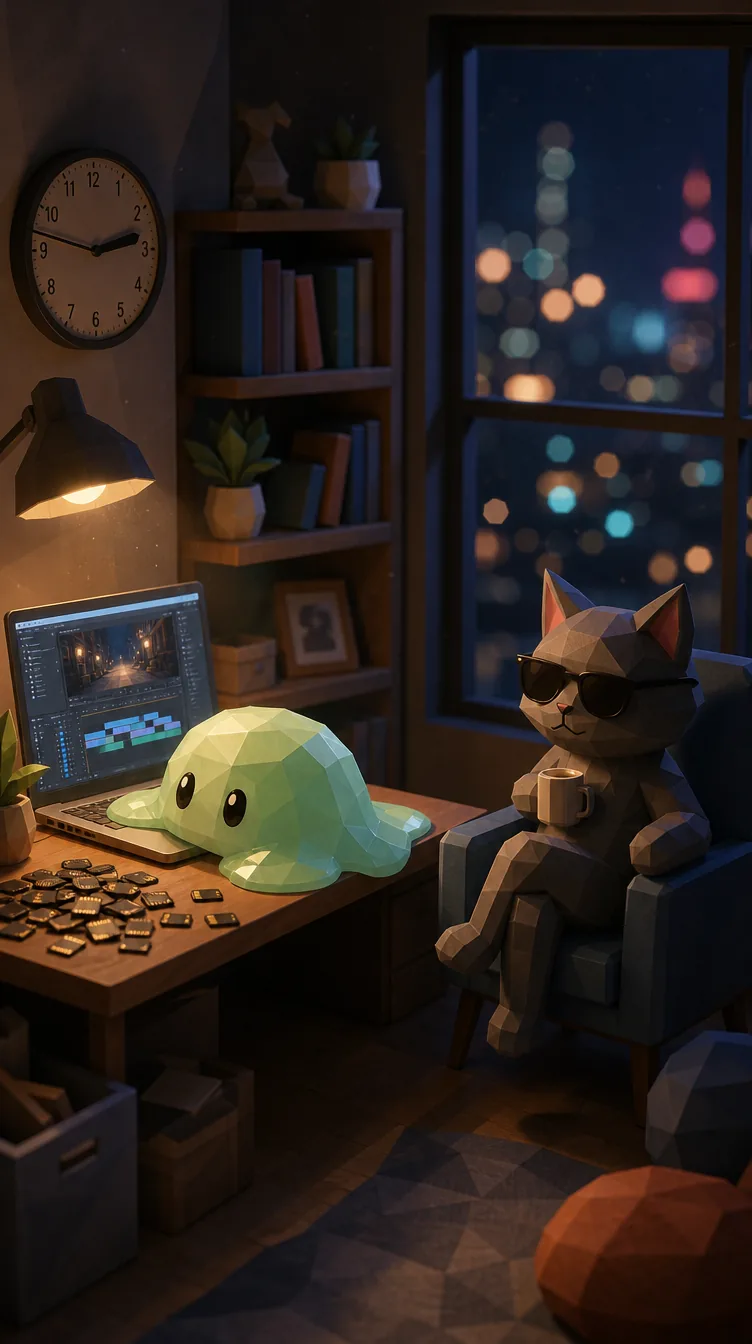

Every project is planned around its brief: reference images can be based on your brand character, your product or a style you like, and production starts once the direction is agreed. AI shots can still differ slightly from one to the next; we select and adjust them, but frame-perfect consistency isn't possible. See why AI characters and products change between shots.
Another AI short in the series
Another short with the same characters. Every shot is AI-generated and edited by us.

Examples
All visuals in the videos below were generated with AI, then edited, graded and scored by us.


Further reading
- The 12 questions people ask most before commissioning an AI video
- What AI video production is, and what it can and cannot do
- AI images vs AI video: when a picture is enough
- What to provide so an AI video matches your brand
- Voice-over and subtitles for AI videos
- Testing ad variations with AI video
- Is AI video suitable for training and education?
- The product isn't built yet: can AI make a concept video first?
- What to prepare for AI video production
- AI video copyright FAQ
- Why do people and products look different in every shot?
- Can an AI video show our real product and logo?
- How revising an AI video differs from editing
- The 5 most common problems in AI video scripts
- How long should an AI video be? Shot count and production time
- AI video vs stock footage
- Do AI-generated videos need to be labelled?
- What a storyboard is in AI video production, and why it is approved first
- Reviewing an AI video draft: 8 things to check
- Can an AI video use a real person's face?
- Photo to video: AI animation vs traditional photo motion
- Using AI to keep a short-video series going without filming
- Can you make a music video with AI?
- Can AI be used in a wedding video?
- Commercial video editing and post-production for businesses
- Tech company ad videos: showing technology that cannot be filmed
- Real estate development ad videos: renders, drone footage and scenario shots
Fill in the request form.
Then send us your footage.
It takes about a minute: what the video is for, how long, the deadline and what you have. Then send us your footage or script. Within 48 hours of receiving it, we'll tell you whether we can help, and if we can, we'll send you a quote.
Frequently asked questions
I have no material at all, just an idea. Can you do it?
Yes. Write your idea down in a few sentences: what the video should say, who it's for and where it will be shown. We help turn that into a script, then move into production.
Can I use a specific person's face?
Using a real person's likeness requires their consent, and AI generation can't guarantee an accurate likeness anyway. For this we recommend real footage.
Will AI visuals look fake?
It depends on the subject. Scenes, moods and concept visuals usually work well. Products and people that need precise detail are where flaws show. We'll tell you honestly whether your project is a good fit when we assess it.
Can I change a shot I don't like?
We confirm the storyboard with you first, and produce the video only after you've approved it.
