The first question in product video production is usually which route to take. There are three common ones: live action, 3D animation and AI video. Each suits a different situation, and choosing the right one early keeps the preparation and the budget from being wasted.
Chipscat Studio handles the editing, post-production and AI video side of a product video. If the footage is already shot, we edit it. If you only have product photos and a written script, we can assess building the video with AI visuals. We do not offer filming. See commercial video production for what we cover, or fill in the request form and tell us the platforms, the lengths and your deadline.
The kinds of product video
"Product video" covers several videos with different jobs. Knowing which one you need makes every later conversation easier.
- Product ads: short, for social and video platforms, built around one or two selling points. See commercial video production.
- Product introduction and explainer videos: for the website, the product page or a sales deck, covering features, specifications and use cases.
- Demo videos: for people who are already interested, common for software, equipment and B2B products. See software and SaaS product demo videos.
- Launch videos: the opening film and the teaser. See product launch event videos.
For how a brand video, a product video and an ad differ, see brand film, product video or ad.
Three routes for product video production
1. Live action
Fits: real detail, texture and use; food, clothing, cosmetics, physical shops.
You need: the product itself, a location, sometimes a model. Footage shot on a phone can also be edited.
Limits: filming takes time and people, and a bad take means a reshoot. We do not film, so live-action footage comes from you or a crew you hire. Our part is the editing and post-production.
2. 3D animation
Fits: internal structure, how something works, scenes that cannot be filmed; technology products, machinery, buildings.
You need: a 3D model of the product or detailed drawings.
Limits: a longer production cycle and higher cost, and large changes mean rendering again.
3. AI video
Fits: scene and mood shots, concepts, fast output when filming is not possible, variations of an ad.
You need: a written script (which seconds, what picture, what on-screen text), the logo and product photos.
Limits: AI visuals can look unnatural on precise product detail, so real product photos are usually mixed with AI scenes. See can AI video show real products and logos and AI video production.
How to choose
- Product detail matters and viewers need to see it clearly: live action.
- You need to explain how it works or show what cannot be seen: 3D.
- You need atmosphere, time is short, or there is no footage: AI video, or AI with a small amount of live action.
The three can be combined. A common mix is real footage or photos for the product close-ups, AI for the scenes around it, and post-production to bring the look together. If you are not sure, tell us about the product and the purpose, and we will suggest a route after assessing it.
Examples
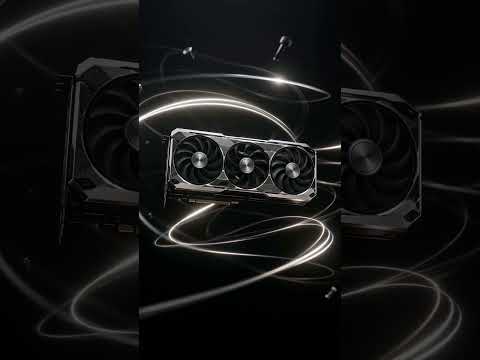
These product ads were made with AI visuals. Click a thumbnail to play.


The process
- Confirm the purpose and placements: where the video will run (ads, website, product page, trade show) and which lengths and ratios are needed.
- Prepare the script: the script comes from you. A simple list of which seconds, what picture and what on-screen text is enough.
- Fill in the request form, then send your material: footage, product photos, logo, packaging files, specifications and taglines.
- Assessment and quote: within 48 hours of receiving your material, we tell you whether we can take the project. If we can, we send a written quote.
- Production and first cut: work starts after you confirm and pay. The first cut includes one free round of minor revisions, within the scope of the quote.
- Export the versions: each length and size the platforms need.
What to prepare before you ask
- What the product is, and the one or two points viewers should remember.
- The purpose of the video and where it will play.
- The material you have: footage, product photos, cut-outs, logo, design files.
- A written script, or at least the order of what you want to say.
- Two or three reference videos you like.
- The versions you need (lengths, landscape or vertical) and the date you want to go live.
Lengths and versions
Product ads for campaigns are commonly 6, 15 and 30 seconds; a product introduction on a website is usually longer. When one video runs on several platforms, landscape, vertical and square each need their own framing and subtitle positions. Listing the versions at the start is more efficient than adding them later. See 6, 15 and 30-second ad cutdowns and multi-ratio ad versions.
Frequently asked questions
Can the three routes be mixed?
Yes, and it is common: real photos for the product close-ups, AI for the scenes, and post-production to unify the look.
We only have product photos, no video. Can you make a product video?
We can assess it. Product photos and design files, with AI scene shots and motion graphics, can make a complete video. The product's appearance and how it is used are best shown with real photos, so the video matches the real thing.
Can Chipscat Studio come and film our product?
We do not offer filming. You can film it yourself or hire a crew, then send us the original files for editing and post-production.
Can an AI-made product video run as an ad?
That depends on the platform's rules. Some platforms require AI-generated content to be labelled, so please check the policy of the platform you plan to use.
How is a product video quoted?
We assess the length, the number of versions, the state of the material, the share of AI visuals and motion graphics, and the deadline, then send a written quote.
If you need help with a product video, please fill in the request form and tell us about the product, the purpose and the material you have. After we see it, we will tell you honestly whether we can help.